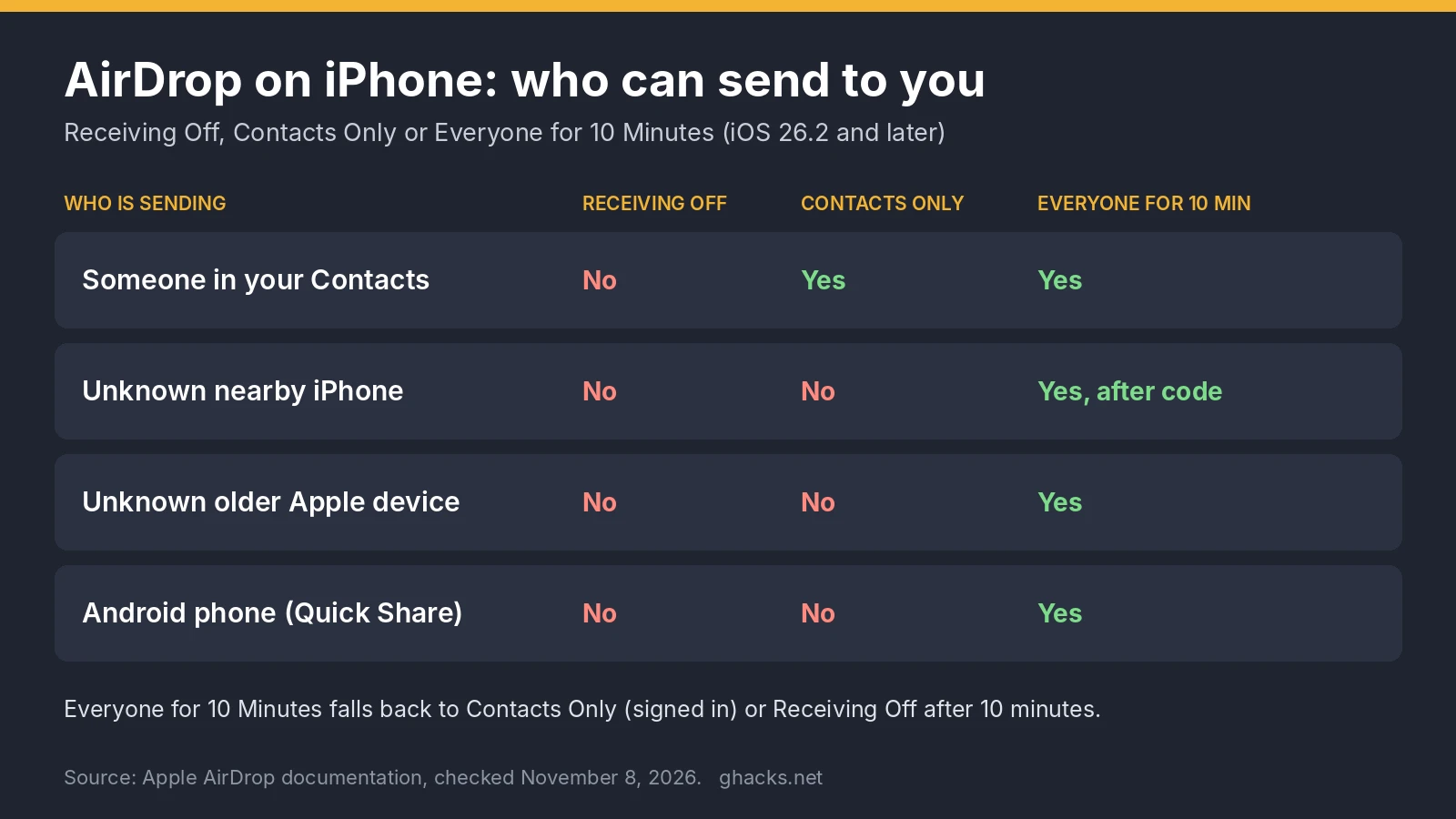
To AirDrop on iPhone, open the photo or file, tap the Share button, tap AirDrop and tap the person or device under People. Thank you for being a Ghacks reader.
Adjust this page to suit you. Your choices are saved in this browser.
Cookies. Chipokia uses one cookie, and only if you allow it: a random ID so your up and down votes stay yours. No analytics, no advertising, no tracking of any kind. Privacy & Cookie Policy.